Routine Treatments
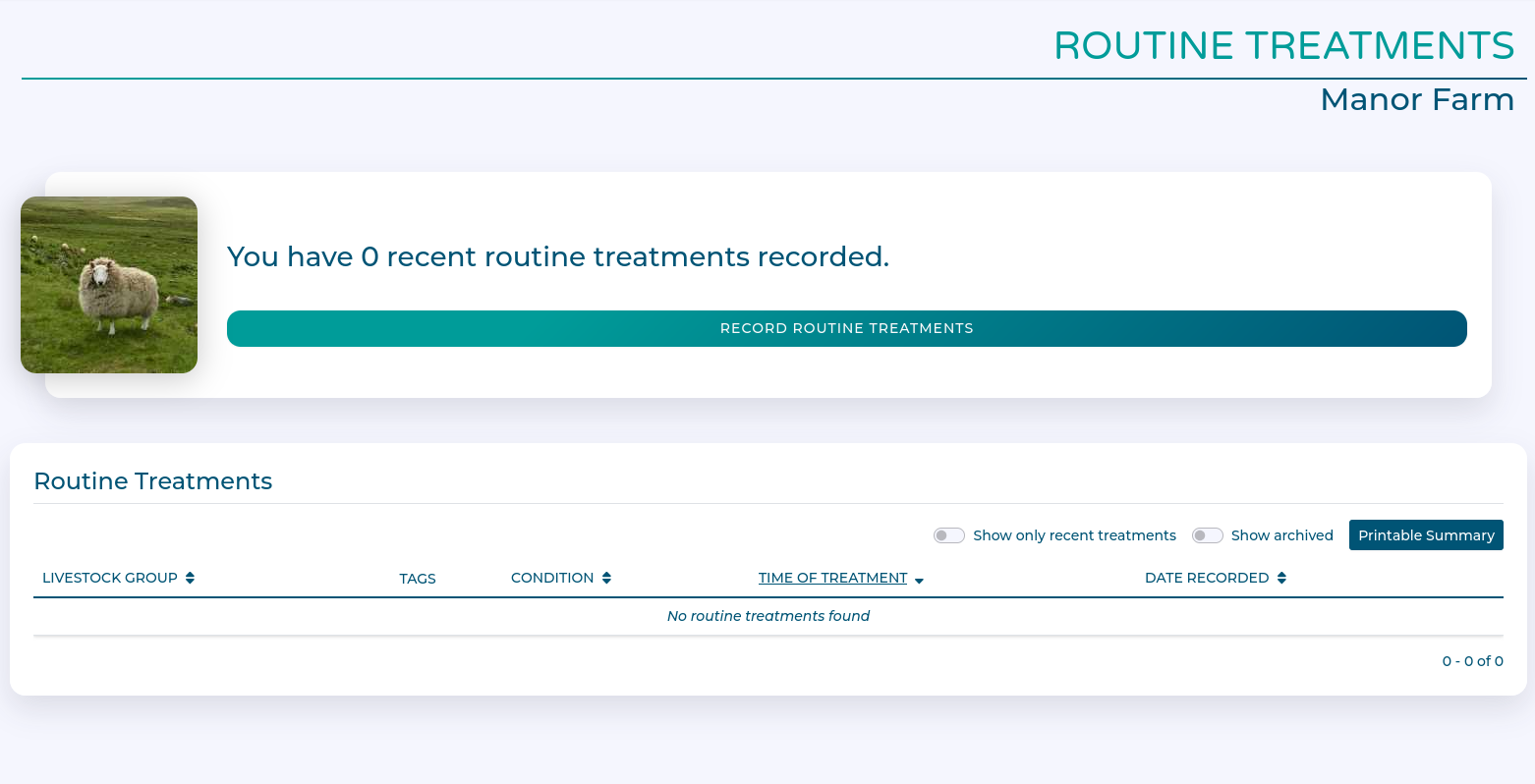
Routine Treatments is found in the Navigation menu under 'My Farm'.
Routine Treatments lets you record information about medicine use and treatments for your herds and flocks over time.
Workflow
Recording a Routine Treatment
Click 'Record Routine Treatments'
This is the blank treatment form.
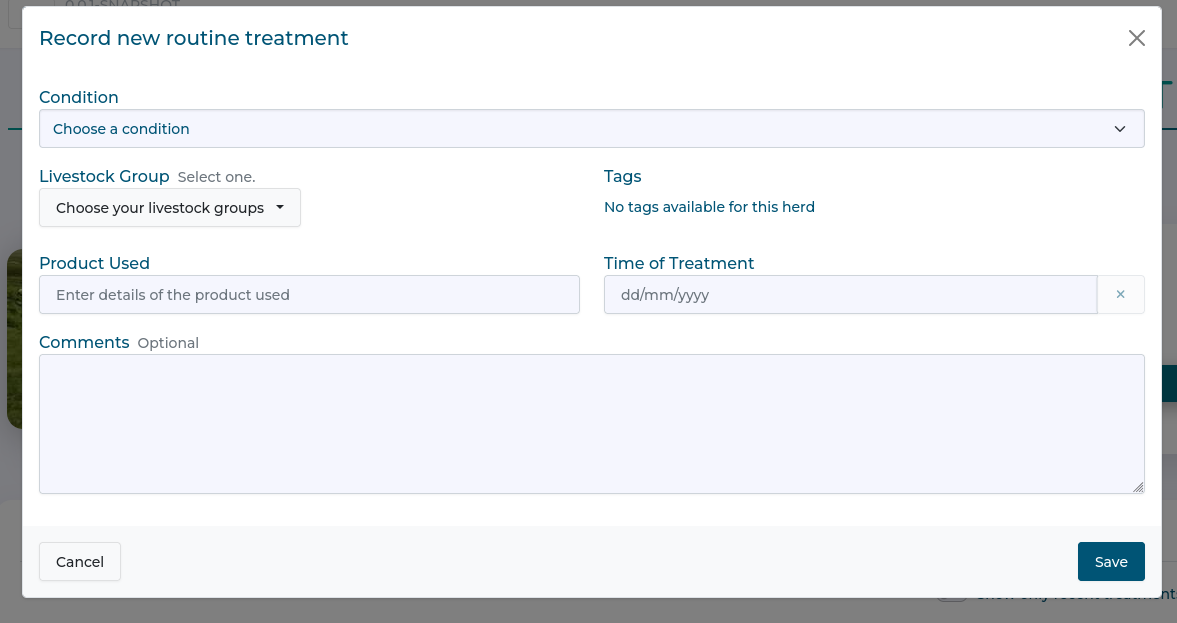
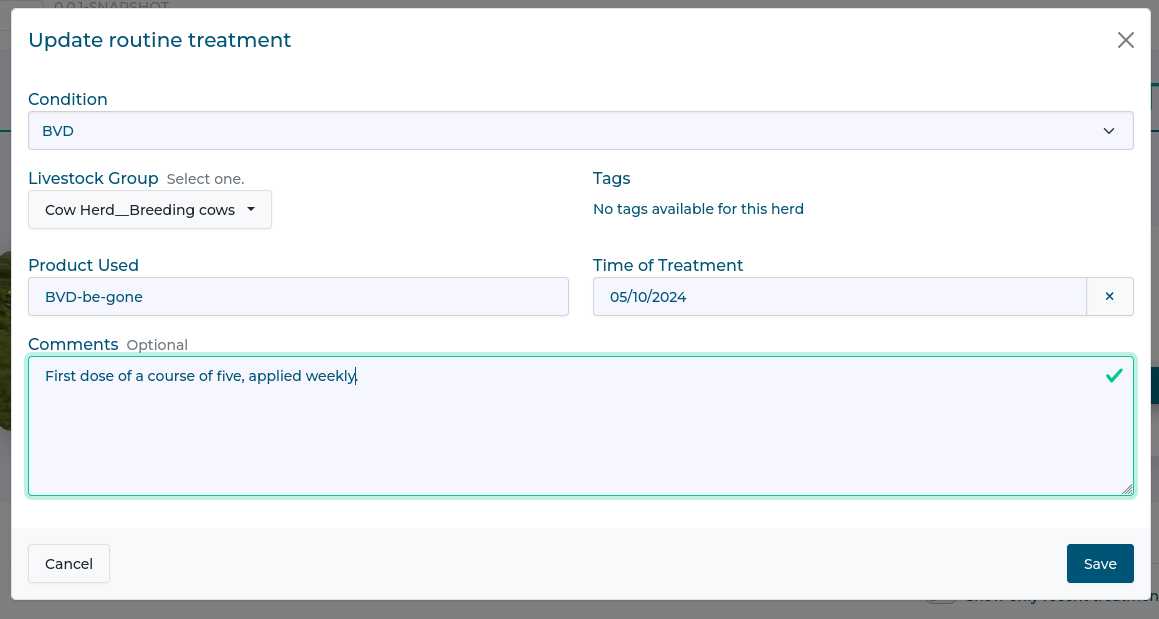
Select condition and livestock groups, and enter any notes.
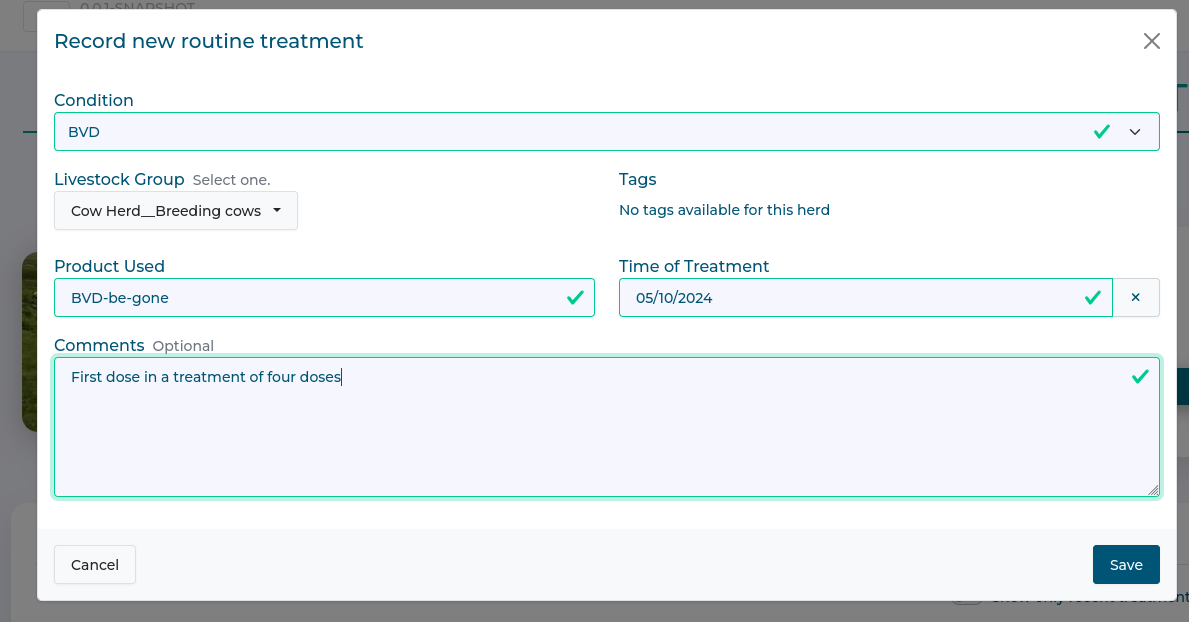
Click 'Save' when done, it is now visible in the list of routine treatments.

Viewing and editing a Routine Treatment
Click 'View' to see a summary of a treatment.
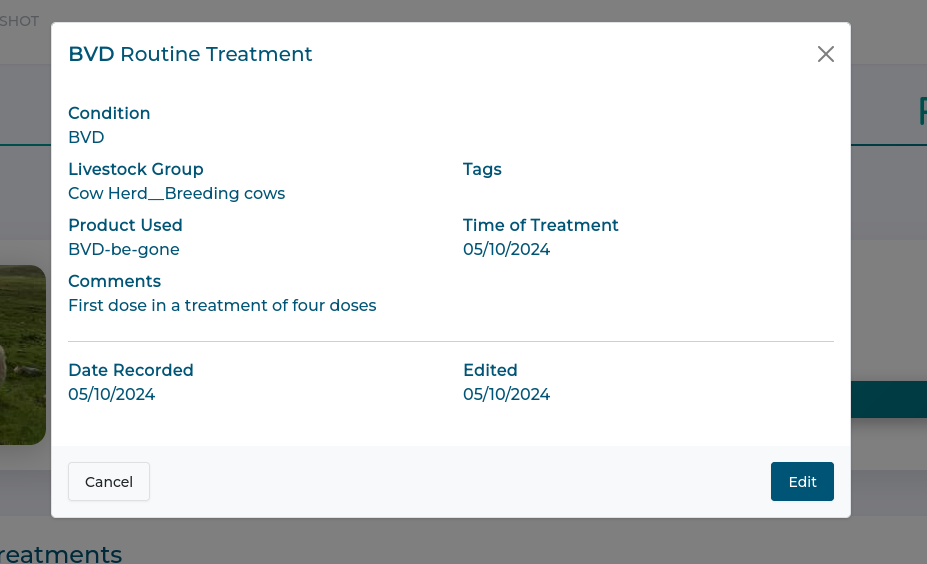
Click 'Edit' to update a treatment.
Viewing and exporting a Treatment history
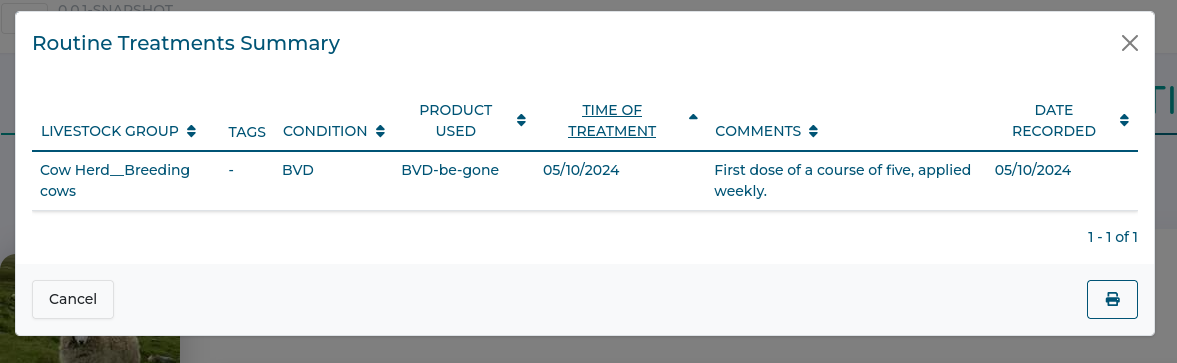
Click 'Printable Summary' to see a summary table of all treatments.
You can use the printer icon in the corner to generate a PDF copy which can be emailed or printed.
Last modified: 20 February 2026