My Livestock Groups
You can create Cattle herds, Sheep flocks, or 'Other' types of flocks/herds, the process is the same for each.
The Livestock Group Card
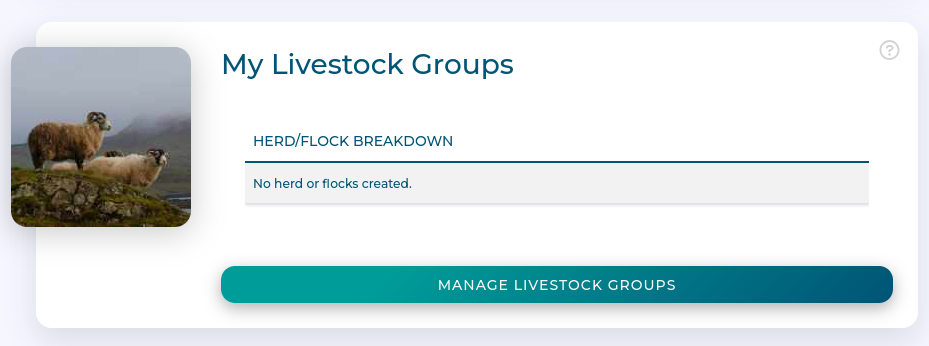
The livestock groups card:
Shows a summary of herds and flocks on the farm
Lets you manage herds and flocks
Overview of Herds and Flocks
Clicking on 'Manage Livestock Groups' takes you to this screen:
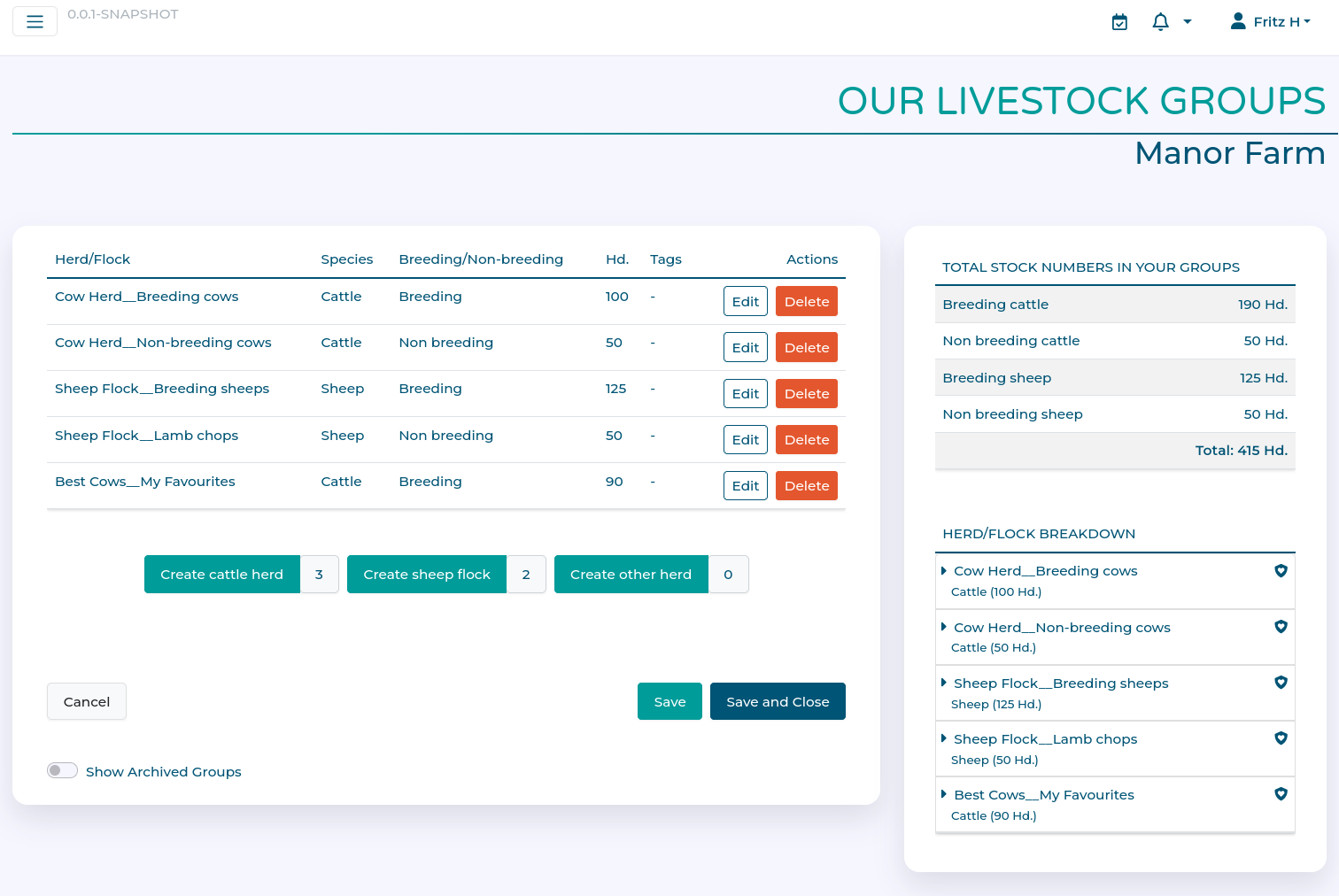
This shows an overview, with all the individual herds and flocks on the Farm, a summary of all head of animals across herds/flocks on the farm, and an expandable groups summary.
Tags
Each livestock group can contain any number of tags to help identify subsets of animals in a herd or flock. See here for more information.
Workflow
Adding a new herd/flock
Click on the appropriate 'Create' button for the group you want to create, e.g. click 'Create Herd' to add a new cattle herd.
The following dialogue lets you provide details of the herd/flock.
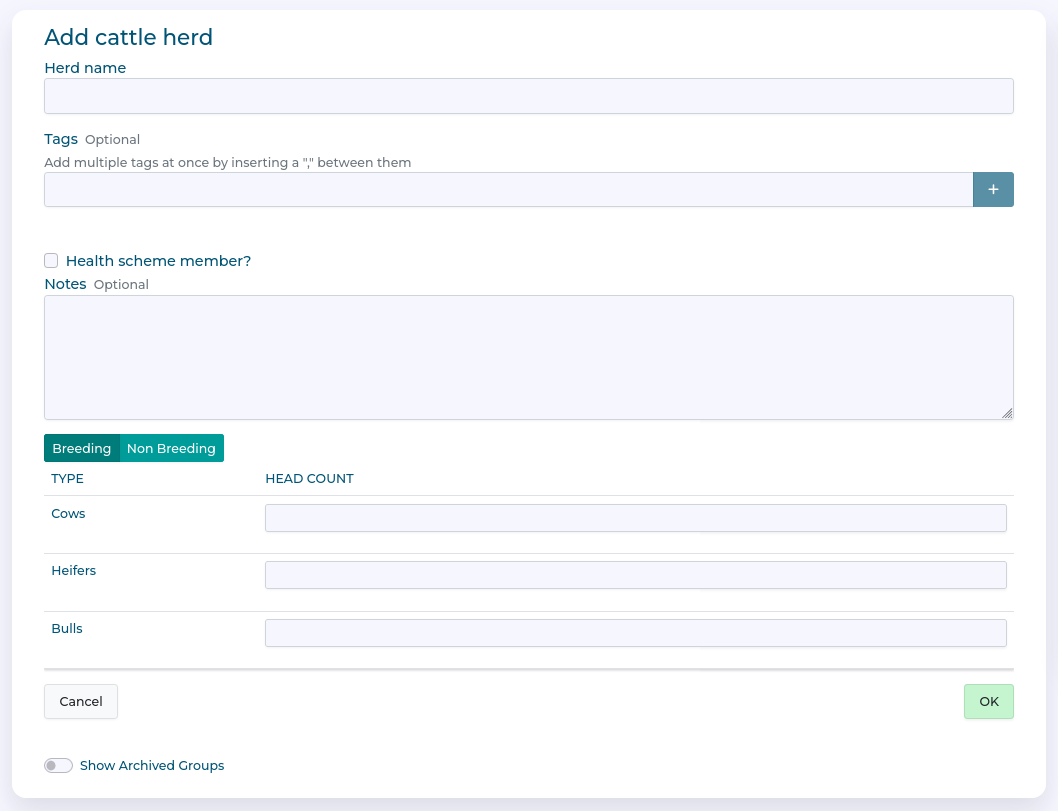
For example here we have defined a breeding herd by giving it a name and saying how many Stores and Finishers we have (note you can use the 'Breeding' and 'Non-breeding' selector to add headcounts for different breeding and non-breeding animals).
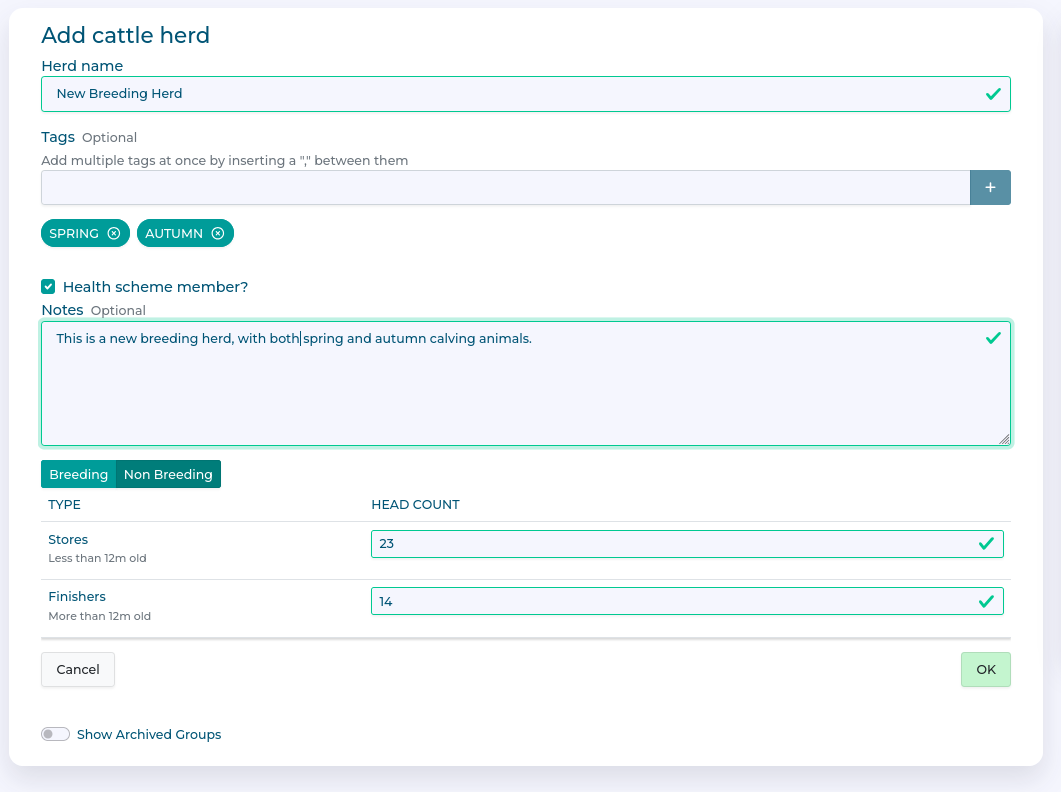
We have also checked the box to indicate that this herd is a member of a health scheme, and added two tags 'SPRING' and 'AUTUMN'. Tags are useful, as later when we define targets or actions in our health plan we can indicate if they apply to the whole herd, or to only parts of it by using tags. You can enter anything you want as a tag, and have multiple tags, as you see fit.
Once happy, we click 'OK' to finish setting up the herd.
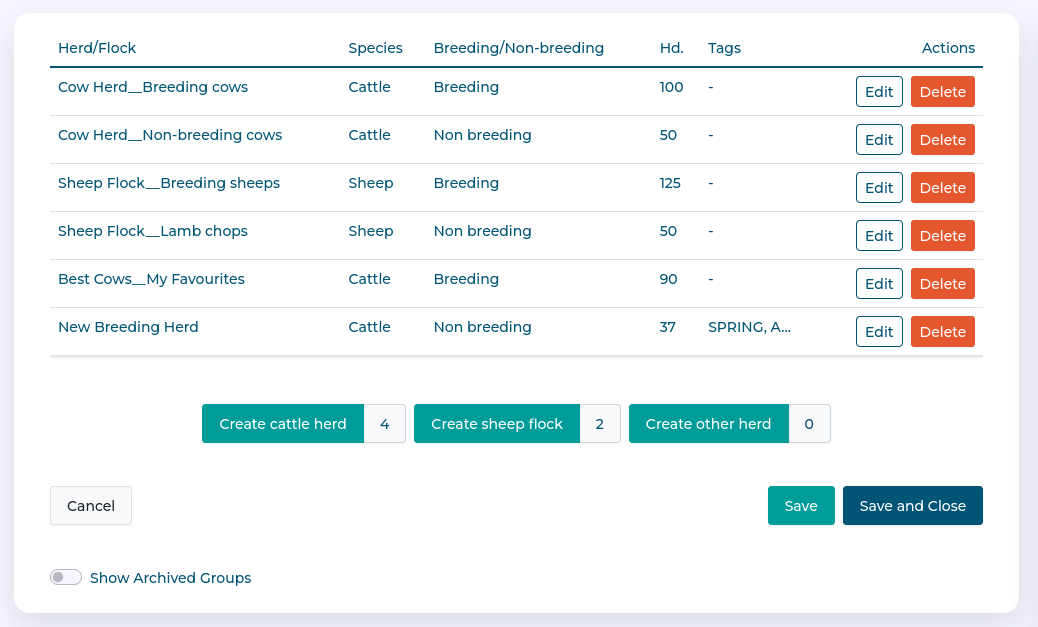
Our new herd is visible on the table, and we can hit either 'SAVE' or 'SAVE AND CLOSE' to finalise the changes.
Editing an existing herd/flock
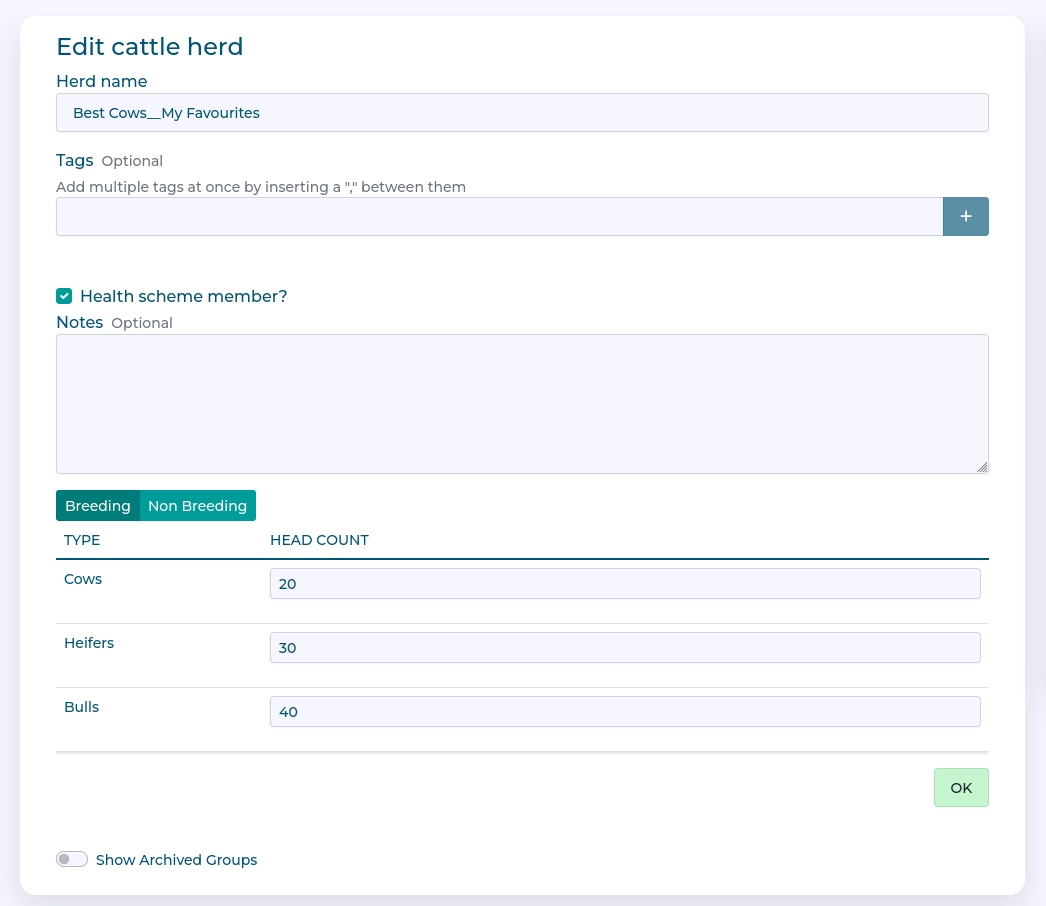
Clicking the 'Edit' button for a herd/flock brings up the edit dialog.
You can then make changes to the herd (such as altering headcount, or adding and removing groups
Once happy, we click 'OK' to finish editing the herd.
Click on either 'SAVE' or 'SAVE AND CLOSE' to finalise the changes.