My Calendar
The Calendar allows you to view actions, targets, and routine treatments from different modules for the Farm.
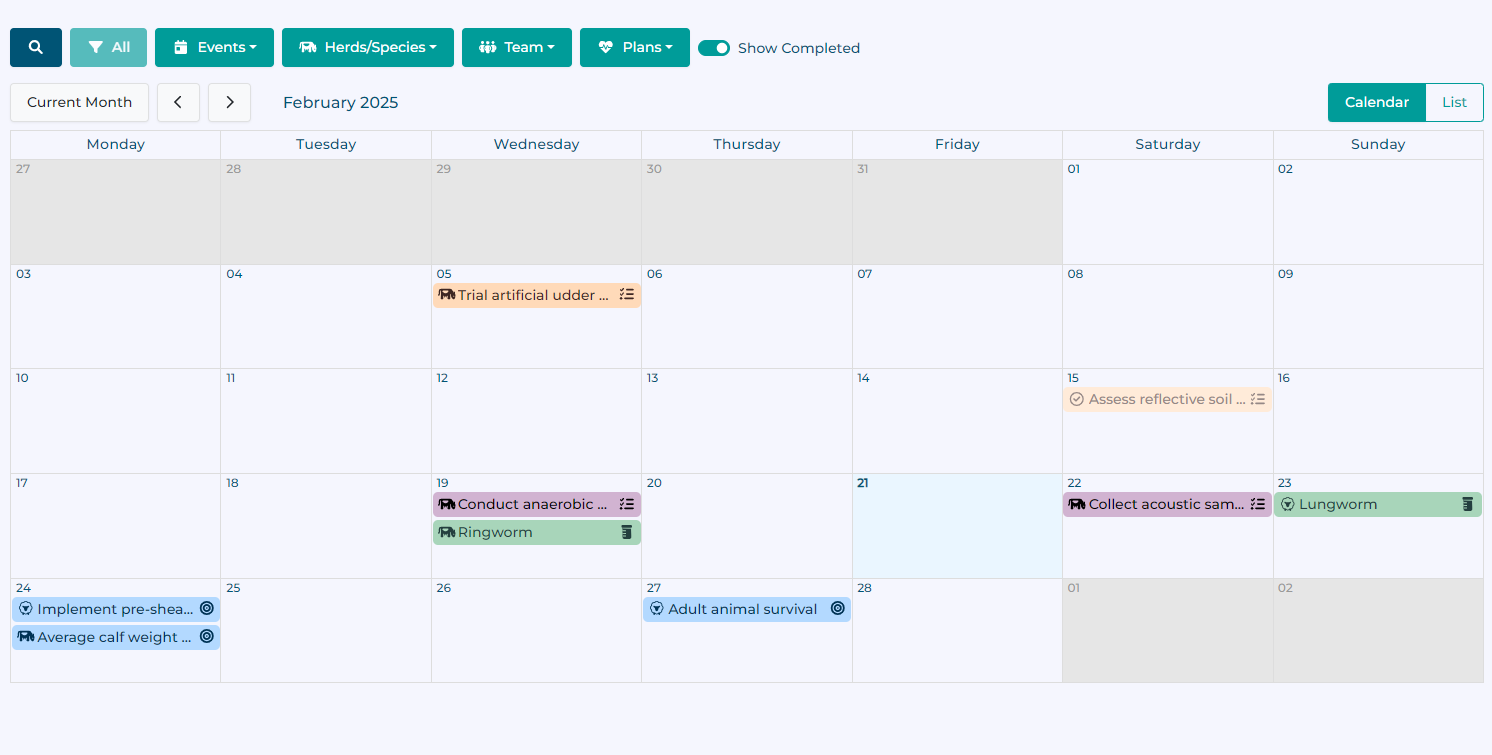
A month-by-month calendar is presented as the default view:
This can be toggled to a list view using the List button, which presents items in a chronological order.
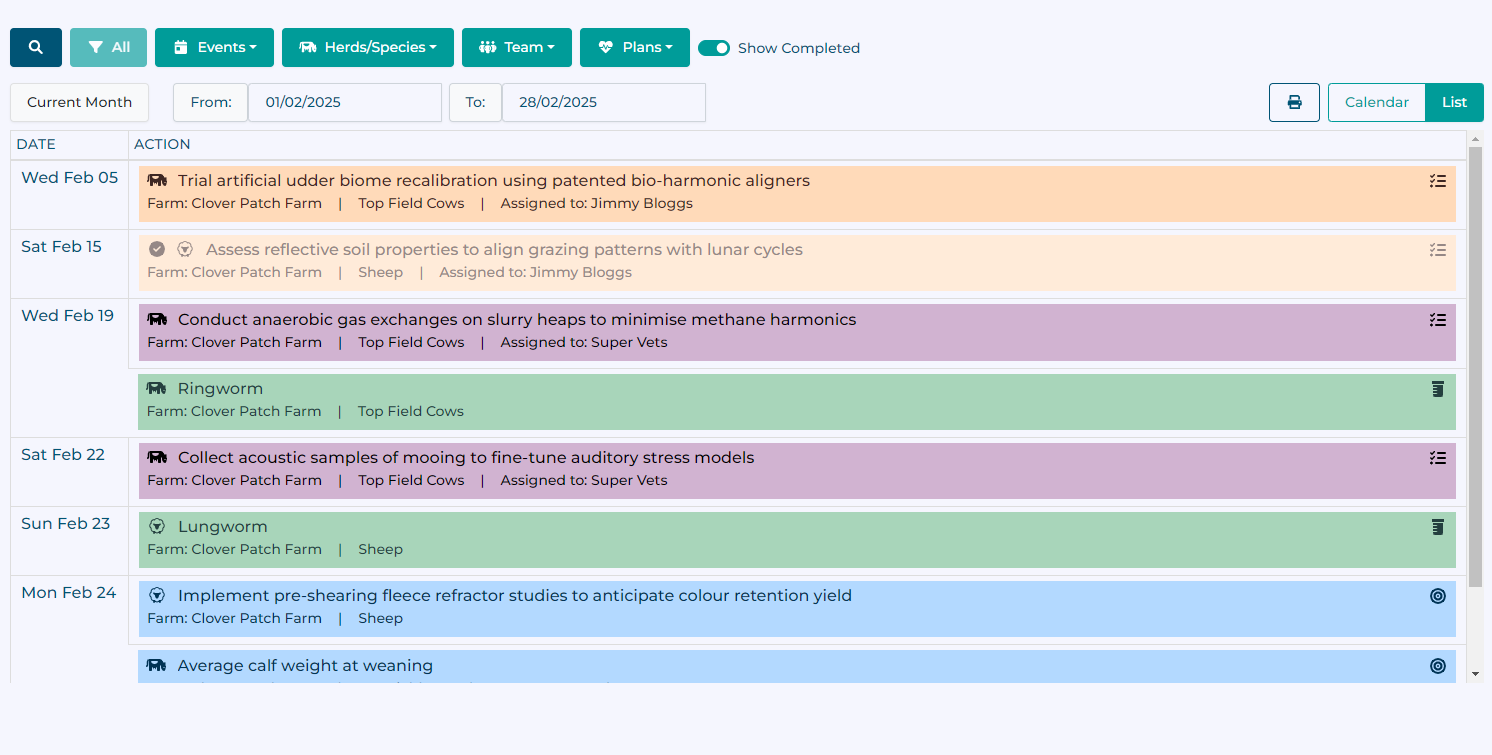
You can change the time period covered by the list with the start and end dates to include different items.
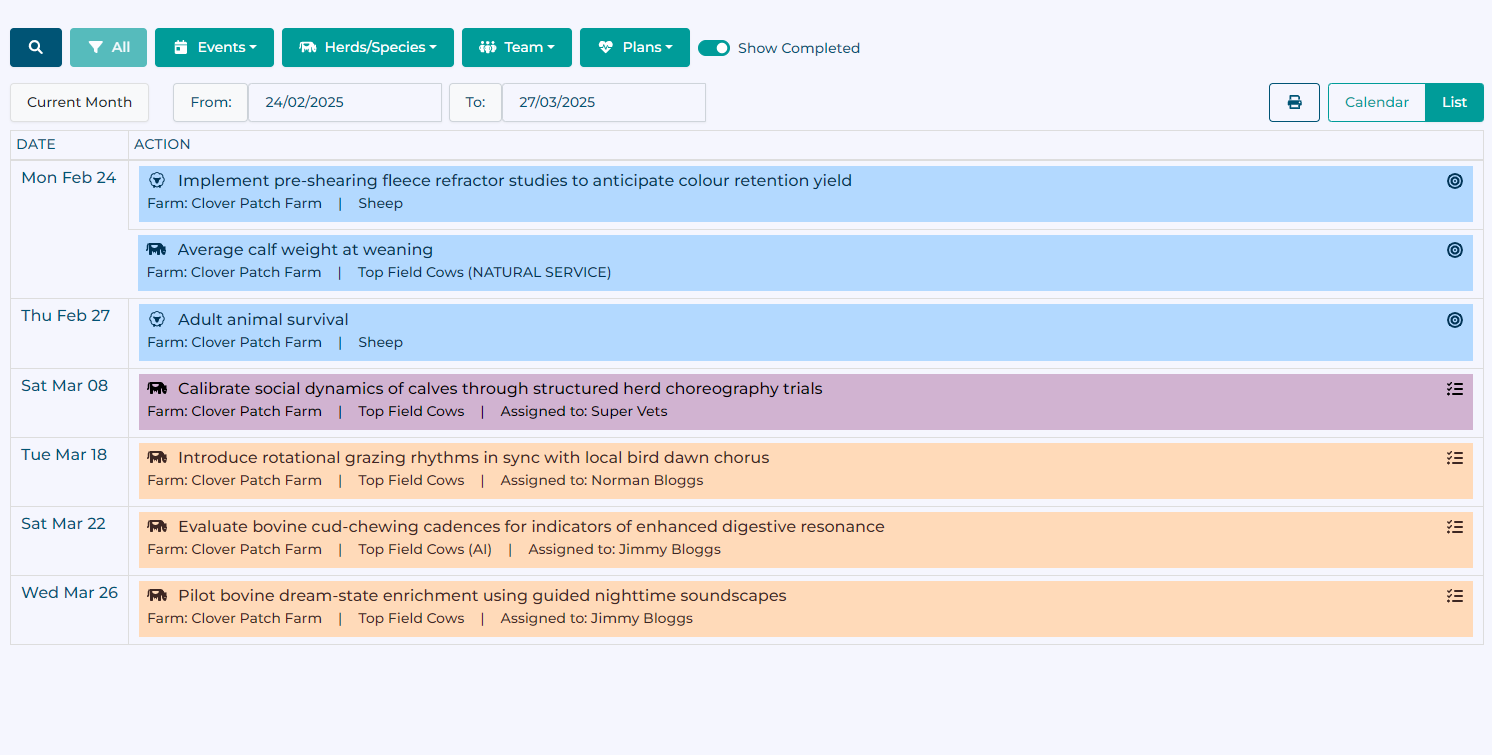
In both the calendar and list view:
Shown items can be filtered by text, item type, livestock group or species, team, or health plan module. Completed items can be hidden using a toggle
An animal icon is shown by each item to indicate which animal species they relate to
Completed items are shown with a checkmark and will appear faded
Items can be clicked on to show more details and provide quick access to the relevant module
Vet actions are highlighted in purple
Syncing to an external calendar
You can choose to enable syncing your HerdPlan calendar to an external calendar application (such as Outlook or Google Calendar) via the settings page.
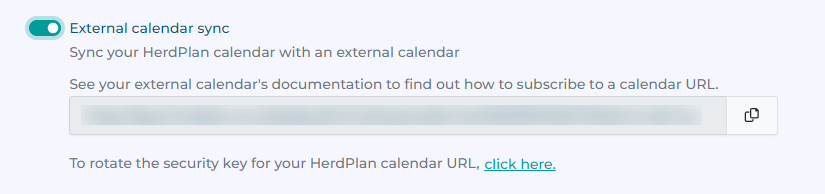
Enabling the option will generate a unique URL that can be subscribed to within your calendar application. Use the copy button to copy the URL to your clipboard, and check the help documentation for your specific application to find out how to subscribe to an internet calendar via URL.
Disabling the setting will stop sending new updates to your calendar application. Rotating the security key on your unique URL will invalidate the exisiting URL, and you will need to re-subscribe to the new URL.