Infectious Diseases
The Infectious Diseases module lets you set Targets and Actions for managing specific infectious diseases within your livestock.
Process Overview
Workflow
Set up a Biosecurity Policy
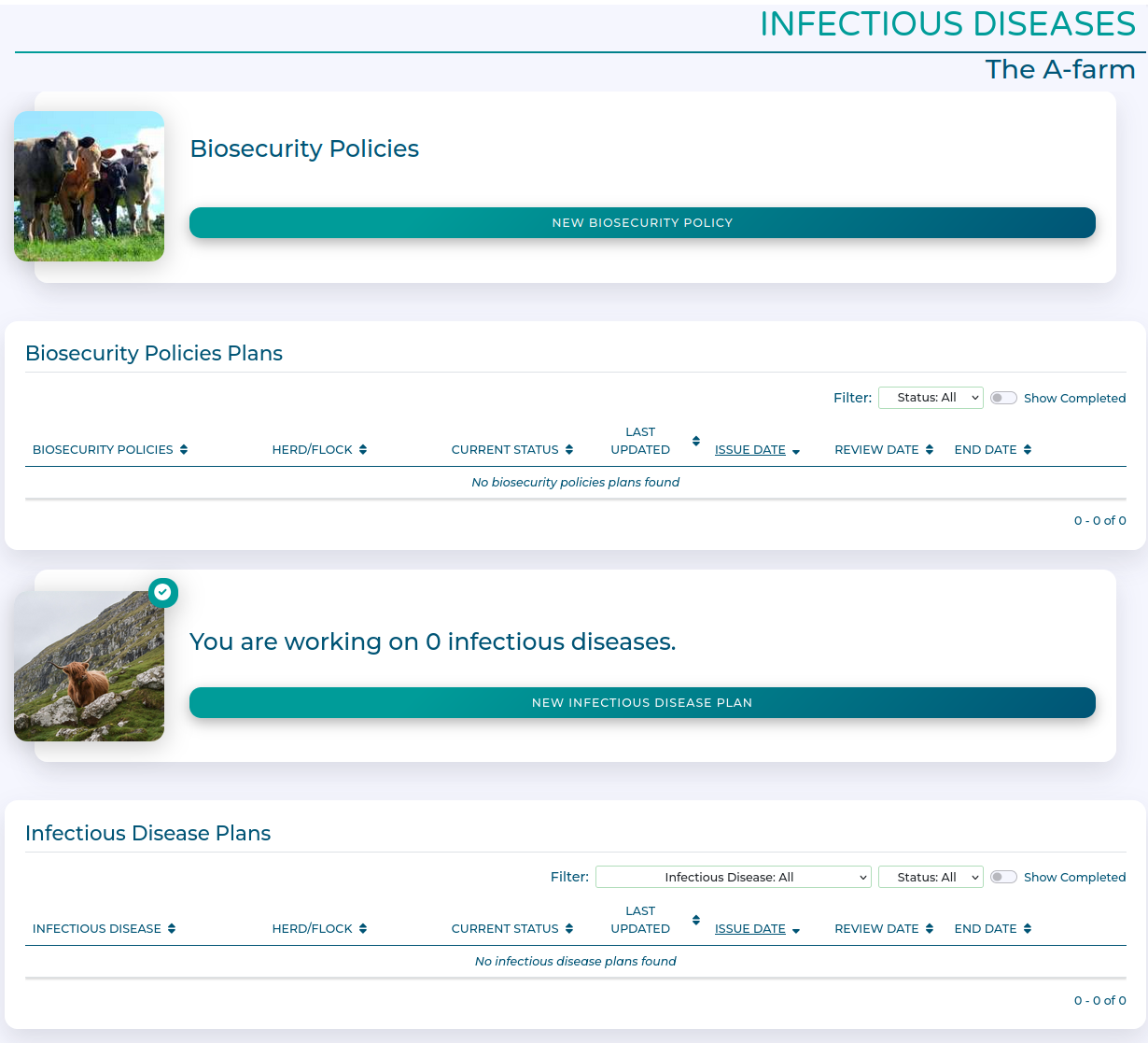
Click the New Biosecurity Policy button to begin.

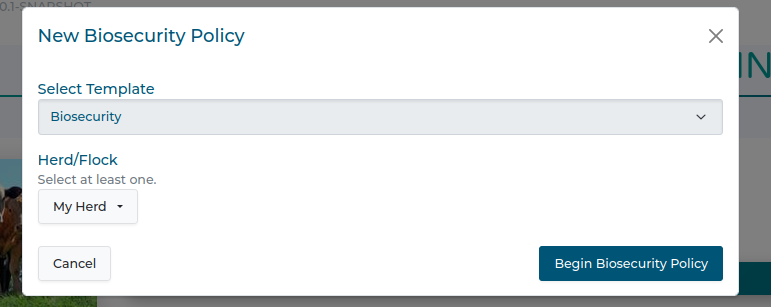
Select which Herds or Flocks are covered by this policy, and click Begin Biosecurity Policy.
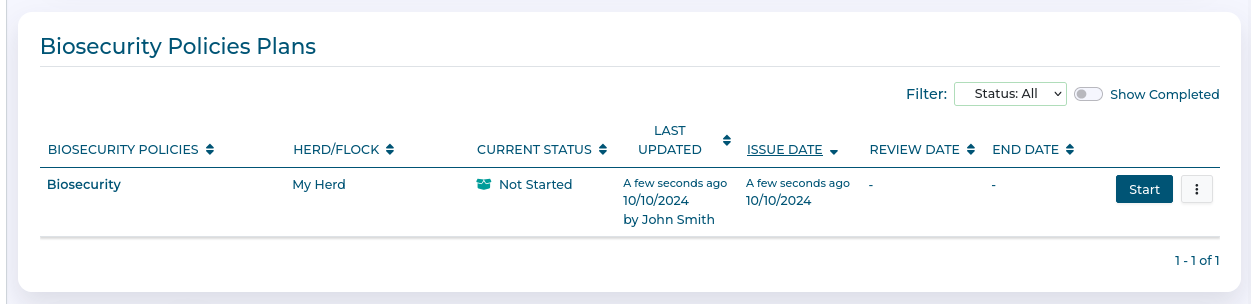
You now have a Biosecurity policy to complete. Click Start when you are ready.
On the Overview, you can set the Name, Start and End Date, and review frequency for the policy.
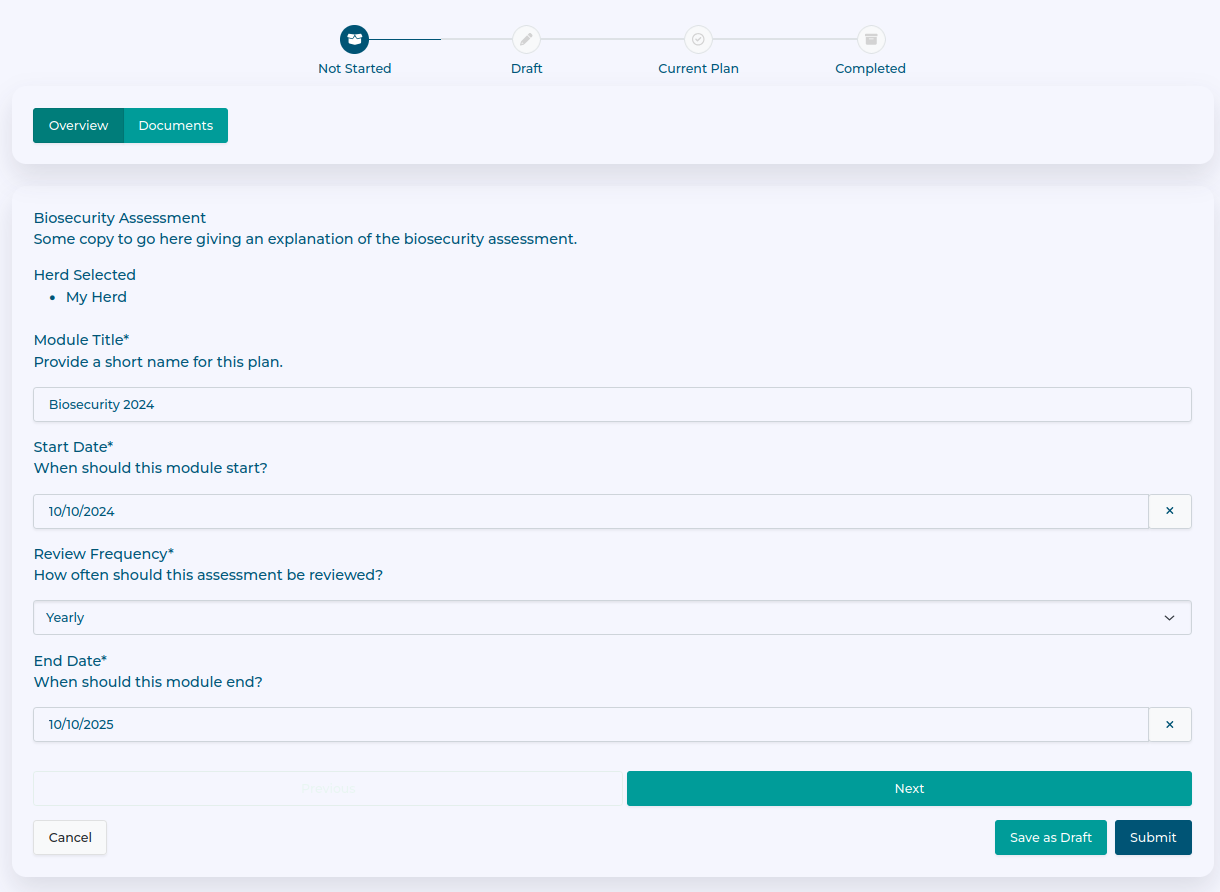
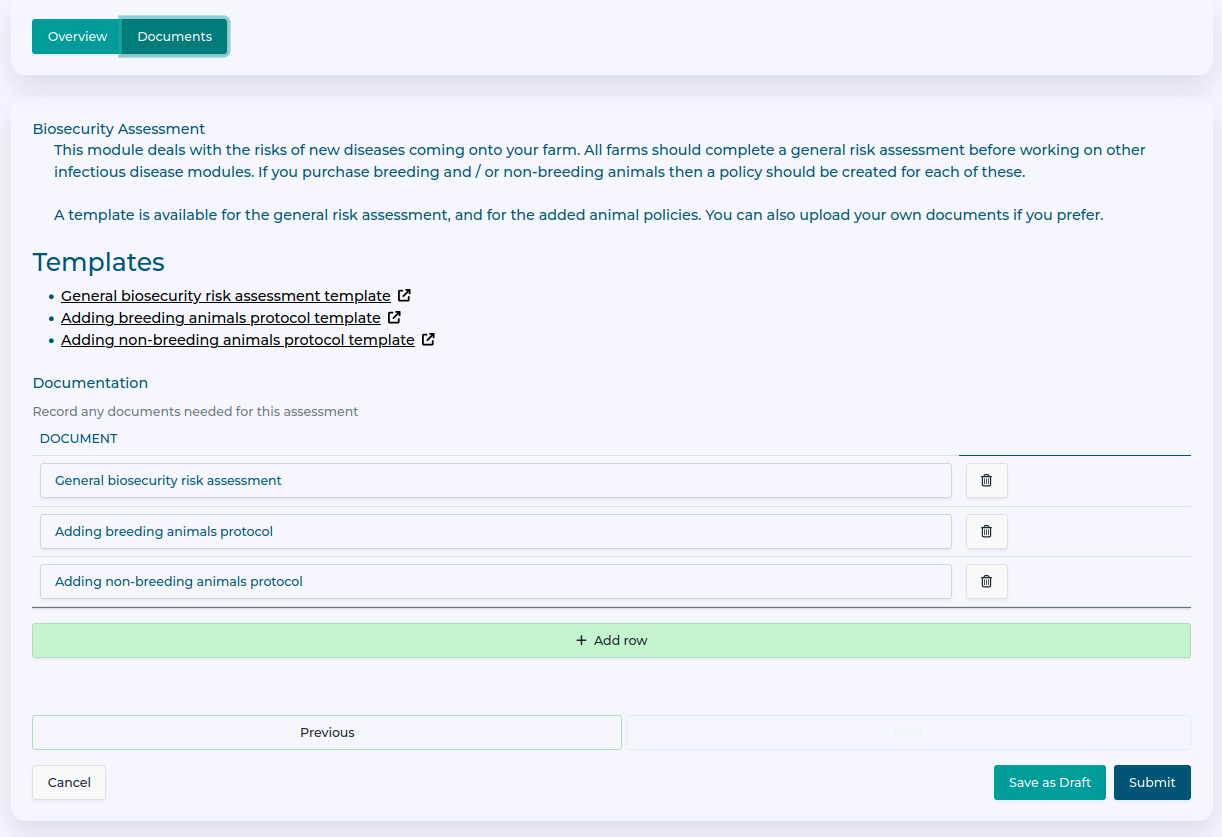
On the documents tab you can list what documents will form this policy.
You can use the Add row button to add additional required documents here.
Whilst you can use your own documents to build the policy, templates are provided for the suggested documents which can be downloaded here.
Once you have defined the documents which will make up the Biosecurity policy, push Submit to activate the policy.
You now have an active Biosecurity policy, but should upload the completed policy documents when they are available.
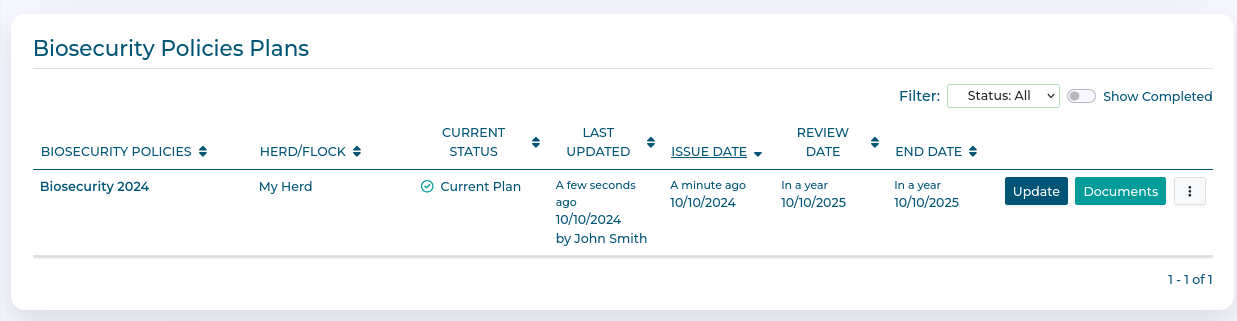
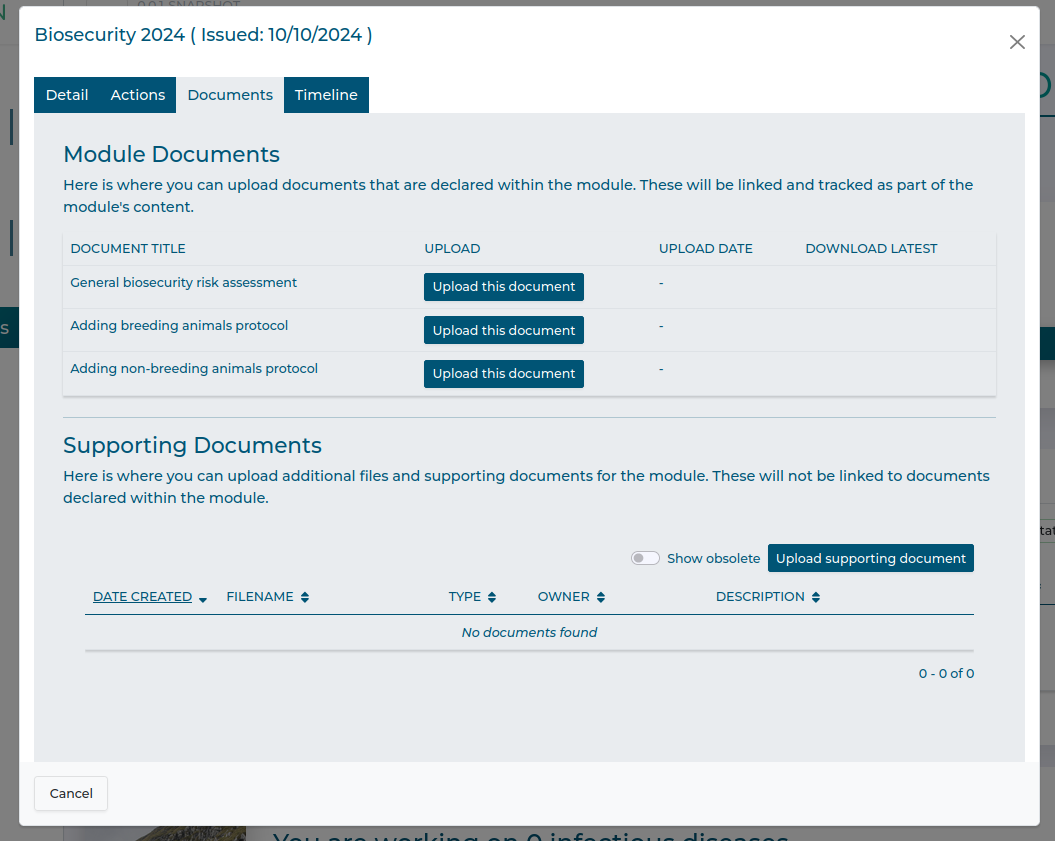
Use the Documents button to access the document upload dialogue. You can upload the previously defined policy documents with the relevant Upload this document button, and can also add additional supporting documentation if required with the Upload Supporting Document button.