Cloning Health Plans
A health plan module is designed to be time-limited, but HerdPlan makes it easy to repeat an existing plan at any point by cloning it along with targets and actions.
Any health plan module that is Current or Ended can be cloned. A plan can be cloned more than once if needed.
Cloning
Dates for the New Plan
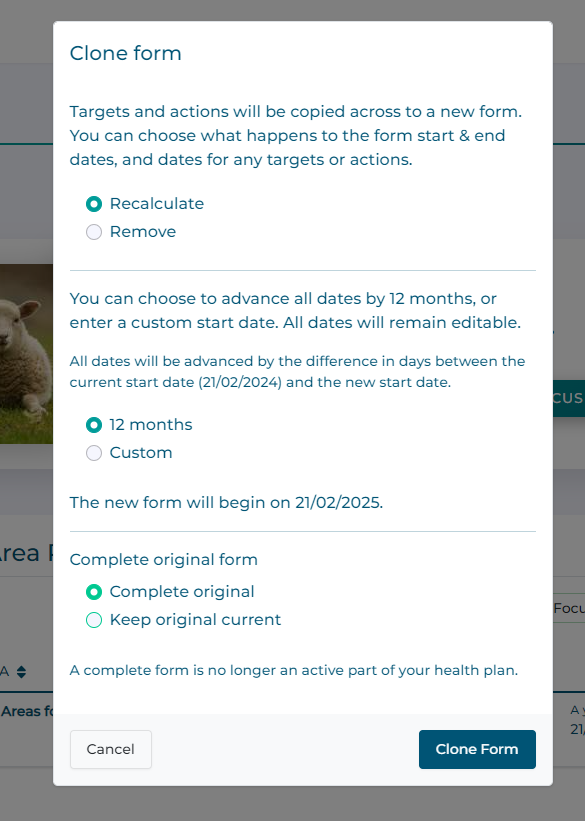
When cloning a plan you have the option to decide how to advance the dates already set in the plan. The options are:
Advance by 12 months (default)
Advance by a custom duration (set a new start date)
Remove all dates
The default option is to advance everything by 12 months. This means the new module start and end dates, and all dates for targets and actions will be set to a year on from the original.
You could instead opt to set a new start date for the module. This will advance all dates by the difference between the original start date and the new chosen start date.
Original Plan
You can choose whether to keep the original plan current or to end it automatically. This option is unavailable if the original plan is already ended.
How to Clone a Form
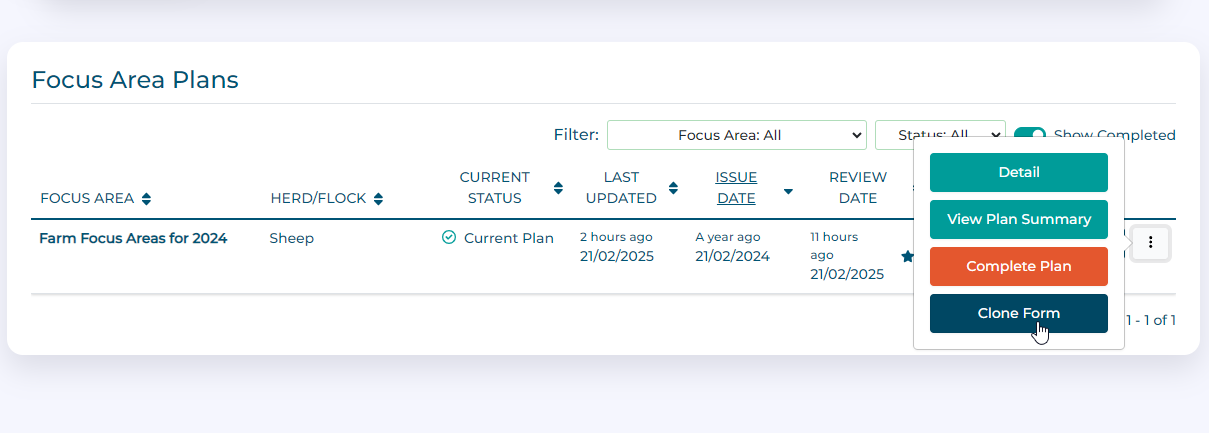
Click the three-dots button next to a health plan, then select Clone Form.
In the window choose how the form should be cloned, then click the Clone Form button.
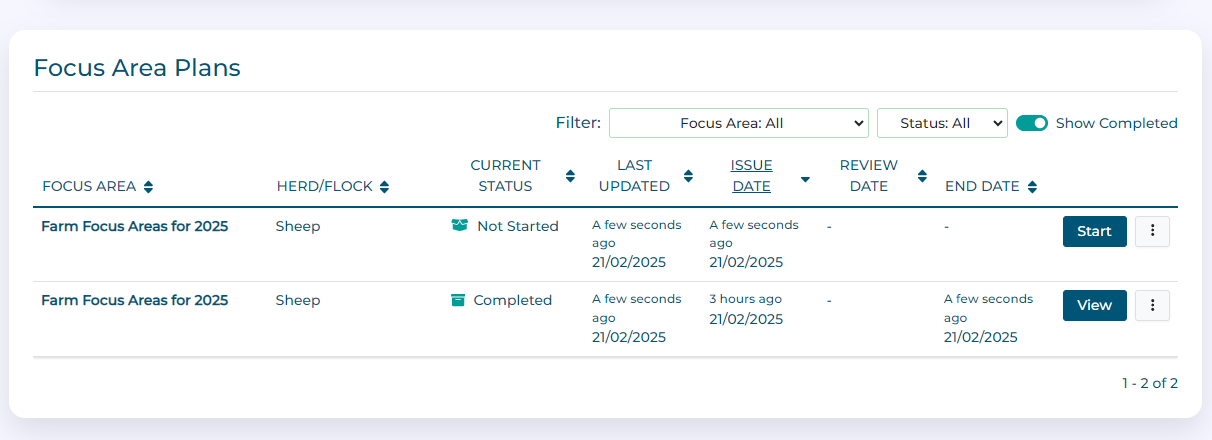
The form will be cloned and dates amended as chosen. To start the form, click the Start button and review the contents. Make any required changes and submit as usual.